
1. Uvod
Hvala na kupoviniasing the Sharp XL-HF201P Micro Hi-Fi System. This system is designed to provide high-quality audio playback from various sources, including CDs, USB devices, and iPods. This manual provides essential information for the safe and efficient operation of your new audio system. Please read it thoroughly before use and retain it for future reference.
2. Važne informacije o sigurnosti
- Izvor napajanja: Uređaj priključite samo na AC utičnicu uređaja.tage specified on the unit's rear panel.
- ventilacija: Osigurajte adekvatnu ventilaciju. Ne blokirajte ventilacijske otvore. Izbjegavajte postavljanje uređaja na mekane površine koje mogu blokirati ventilacijske otvore.
- Voda i vlaga: Ne izlažite uređaj kiši, vlazi ili kapanju/prskanju tekućina. Ne stavljajte predmete napunjene tekućinom, poput vaza, na uređaj.
- toplina: Držite uređaj dalje od izvora toplote kao što su radijatori, grijalice, peći ili drugi uređaji (uključujući ampLifiers) koji proizvode toplotu.
- čišćenje: Isključite uređaj iz zidne utičnice prije čišćenja. Koristite samo suhu krpu.
- servisiranje: Ne pokušavajte sami servisirati ovaj proizvod. Sve servise prepustite kvalificiranom servisnom osoblju.
3. Sadržaj paketa
Molimo Vas da provjerite da li se u Vašem paketu nalaze sve dolje navedene stavke:
- Main Unit (CD Player/Receiver)
- Left Speaker (x1)
- Right Speaker (x1)
- Daljinski upravljač (sa 2 AA baterije)
- FM antena
- AM kružna antena
- Kabl za napajanje
- Uputstvo za upotrebu (ovaj dokument)
4. Podešavanje
4.1 Raspakivanje i postavljanje
Carefully remove all components from the packaging. Place the main unit and speakers on a stable, flat surface. Ensure there is sufficient space around the unit for proper ventilation.
4.2 Povezivanje zvučnika
Connect the speaker wires to the corresponding terminals on the main unit and speakers. Match the positive (+) and negative (-) terminals. For optimal sound, ensure the wires are securely connected. If the speaker wires do not insert directly into the screw-knobs, wrap the bare wire ends around the terminal posts and then tighten the screw-knobs to secure them.
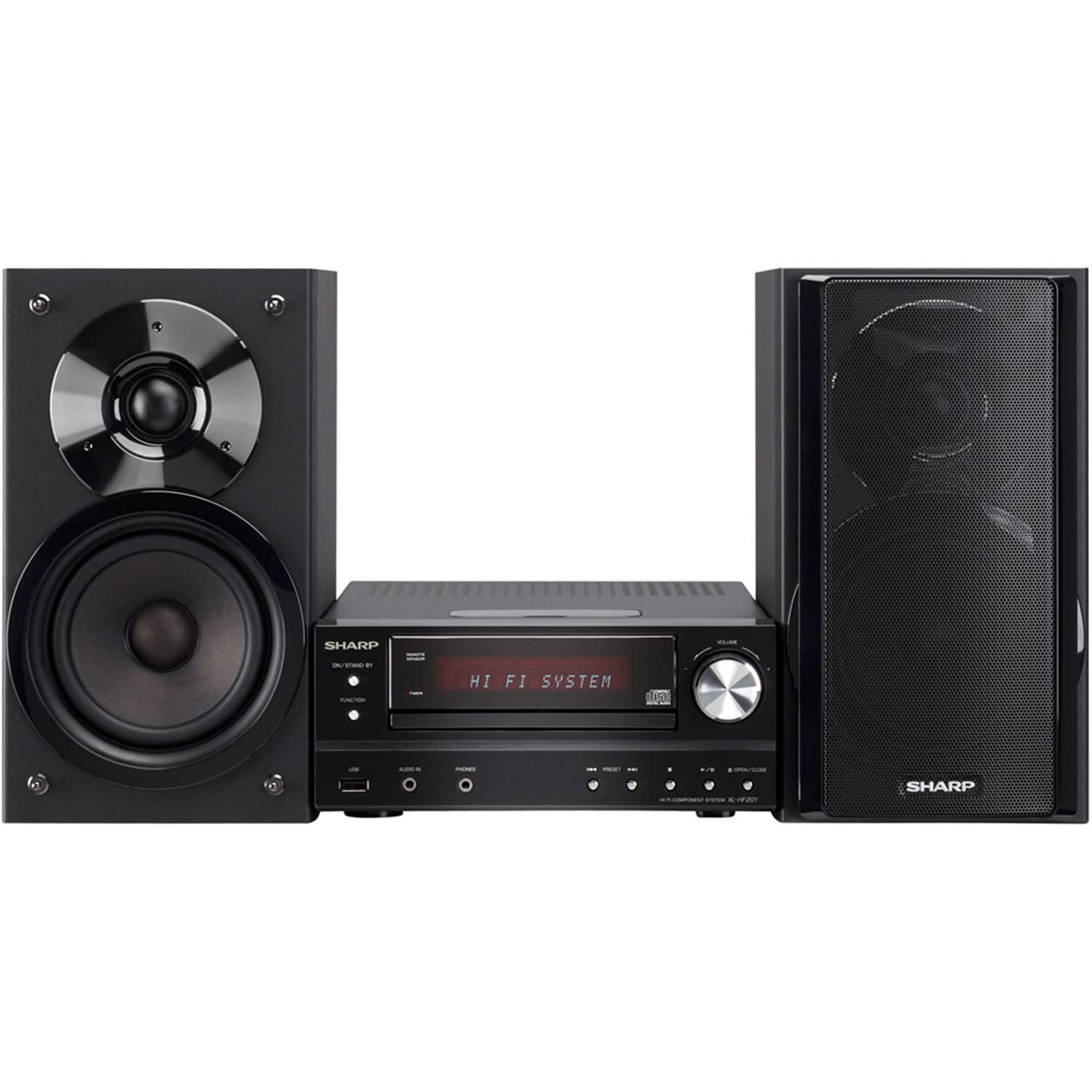
Image 4.2.1: The Sharp XL-HF201P Micro Hi-Fi System, showing the main unit and two speakers. This image illustrates the overall appearance of the system, which includes a central receiver with a CD tray and an iPod dock on top, flanked by two dark-colored speakers.
4.3 Povezivanje antena
- FM antena: Connect the supplied FM wire antenna to the FM antenna terminal on the rear of the main unit. Extend the wire for better reception.
- AM antena: Assemble the AM loop antenna and connect it to the AM antenna terminals. Position the antenna for optimal AM reception.
4.4 Priključak za napajanje
After all other connections are made, plug the power cord into the AC inlet on the rear of the main unit, then plug the other end into a wall outlet.
5. Uputstvo za upotrebu
5.1 Uključivanje/isključivanje napajanja
Pritisnite POWER button on the front panel or the remote control to turn the unit on or off (standby mode).
5.2 Odabir izvora
Pritisnite FUNKCIJA button on the front panel or the remote control repeatedly to cycle through available sources: CD, USB, iPod, FM, AM, AUX.
5.3 Reprodukcija CD-a
- Odaberite CD funkcija.
- Pritisnite OPEN/CLOSE dugme da otvorite ležište za CD.
- Place a CD (CD-DA, MP3, WMA) with the label side up on the tray.
- Pritisnite OPEN/CLOSE ponovo da biste zatvorili ladicu. Reprodukcija će automatski započeti.
- Koristi PLAY/PAUSE, STOP, SKIP (forward/backward) buttons for control.
5.4 Reprodukcija s USB-a
- Insert a USB device (containing MP3 or WMA files) into the USB port on the front panel.
- Odaberite USB funkcija.
- Playback will begin automatically or you may need to select a track.
- Koristi PLAY/PAUSE, STOP, SKIP dugmad za kontrolu.
5.5 Dock za iPod/iPhone
- Carefully place your compatible iPod or iPhone onto the dock connector on top of the main unit.
- Odaberite iPod funkcija.
- Your device will begin charging and you can control playback using the system's remote or your device's controls.
5.6 Podešavanje radija
- Odaberite FM or AM funkcija.
- Koristite TUNING buttons (or knob on the unit) to manually tune to a station.
- Pritisnite i držite TUNING buttons for automatic station scanning.
- Za prethodno podešavanje stanica, odaberite željenu stanicu, a zatim pritisnite MEMORY nakon čega slijedi dugme s unaprijed postavljenim brojem.
5.7 Kontrola jačine zvuka
Podesite glasnoću pomoću VOLUMEN +/- buttons on the remote control or the volume knob on the main unit.
6. Održavanje
6.1 Čišćenje jedinice
Wipe the exterior of the unit with a soft, dry cloth. Do not use abrasive cleaners, waxes, or solvents as they may damage the finish. For stubborn stains, lightly dampkrpu obrišite vodom i blagim deterdžentom, a zatim obrišite suhom krpom.
6.2 Njega CD sočiva
Avoid touching the CD lens. If the lens becomes dirty, use a commercially available CD lens cleaner. Do not use compressed air or liquid cleaners directly on the lens.
7. Otkrivanje problema
| Problem | Mogući uzrok | Rješenje |
|---|---|---|
| Nema struje | Kabl za napajanje nije sigurno priključen. | Provjerite priključak kabela za napajanje na uređaj i zidnu utičnicu. |
| Nema zvuka | Volume is too low or muted. Speaker wires are not connected correctly. | Increase volume. Check speaker wire connections, ensuring correct polarity (+/-). |
| CD se ne reproducira | CD is dirty, scratched, or inserted incorrectly. Incorrect function selected. | Clean or replace CD. Insert CD with label side up. Select CD function. |
| USB uređaj nije prepoznat | USB device is not formatted correctly or contains unsupported files. | Ensure USB device is FAT16/FAT32 formatted and contains MP3/WMA files. Try another USB device. |
| Loš radio prijem | Antenna not properly positioned or connected. Interference. | Podesite položaj antene. Odmaknite uređaj od drugih elektronskih uređaja. |
| Daljinski upravljač ne radi | Baterije su prazne ili nepravilno umetnute. Prepreka između daljinskog upravljača i uređaja. | Replace batteries (2 AA). Ensure clear line of sight to the unit's remote sensor. |
8. Specifikacije
- Brand: Sharp
- Model: XL-HF201P
- Izlazna snaga: 100 vati RMS
- Podržani mediji: CD-DA, MP3, WMA (CD, USB)
- Povezivanje: USB, iPod Dock, AUX Input, FM/AM Tuner
- Vrsta zvučnika: Subwoofers (integrated into speaker design)
- Izvor napajanja: Corded Electric
- Dimenzije proizvoda (glavna jedinica): Približno 13 x 15.09 x 20.15 inča
- Težina artikla: Otprilike 20.3 funti
- Baterije (daljinski upravljač): 2 AA baterije (uključene)
9. Garancija i podrška
Za informacije o garanciji i korisničkoj podršci, molimo pogledajte garantni list koji ste dobili uz proizvod ili posjetite službenu Sharpovu web stranicu. website. You may also contact Sharp customer service directly for assistance with product registration, technical support, or service inquiries.
Online podrška: www.sharpusa.com