
1. Uvod
Thank you for choosing the Coby LEDTV3216 32-Inch 720p 60Hz Slim-Bezel LED HDTV. This manual provides essential information for the safe and efficient operation of your television. Please read these instructions thoroughly before use and retain them for future reference.
The Coby LEDTV3216 offers a 32-inch widescreen display, a built-in digital TV tuner (ATSC/NTSC/QAM), and multiple connectivity options including HDMI and VGA. It features energy-efficient technology, digital noise reduction, and V-chip parental control.
2. Sigurnosne informacije
Da biste osigurali siguran rad i spriječili oštećenja, pridržavajte se sljedećih mjera opreza:
- Izvor napajanja: Televizor priključite samo na AC napajanje od 100-240V, 50/60Hz.
- ventilacija: Ne blokirajte ventilacijske otvore. Osigurajte dovoljno prostora oko televizora za pravilan protok zraka.
- Voda i vlaga: Do not expose the TV to rain, moisture, or place objects filled with liquids on or near it.
- Izvori toplote: Keep the TV away from radiators, heat registers, stoves, or other heat-producing appliances.
- čišćenje: Isključite televizor iz zidne utičnice prije čišćenja. Koristite meku, suhu krpu. Ne koristite tekuća ili aerosolna sredstva za čišćenje.
- servisiranje: Ne pokušavajte sami servisirati ovaj proizvod. Sve servise prepustite kvalificiranom servisnom osoblju.
- Montaža na zid: If wall-mounting, ensure the mount is VESA 200mm x 200mm compatible and installed by qualified personnel.
3. Sadržaj paketa
Provjerite da li su sve stavke prisutne u paketu:
- Coby LEDTV3216 32-Inch LED HDTV
- TV stalak
- Daljinski upravljač (potrebne su 2 AAA baterije, uključene)
- Kabl za napajanje
- Korisnički priručnik (ovaj dokument)
4. Podešavanje
4.1 Pričvršćivanje postolja
To attach the included stand:
- Postavite televizor ekranom prema dolje na meku, čistu površinu kako biste spriječili oštećenje ekrana.
- Poravnajte bazu postolja s montažnim otvorima na donjoj strani televizora.
- Pričvrstite postolje pomoću priloženih vijaka. Provjerite da li su svi vijci čvrsto zategnuti.
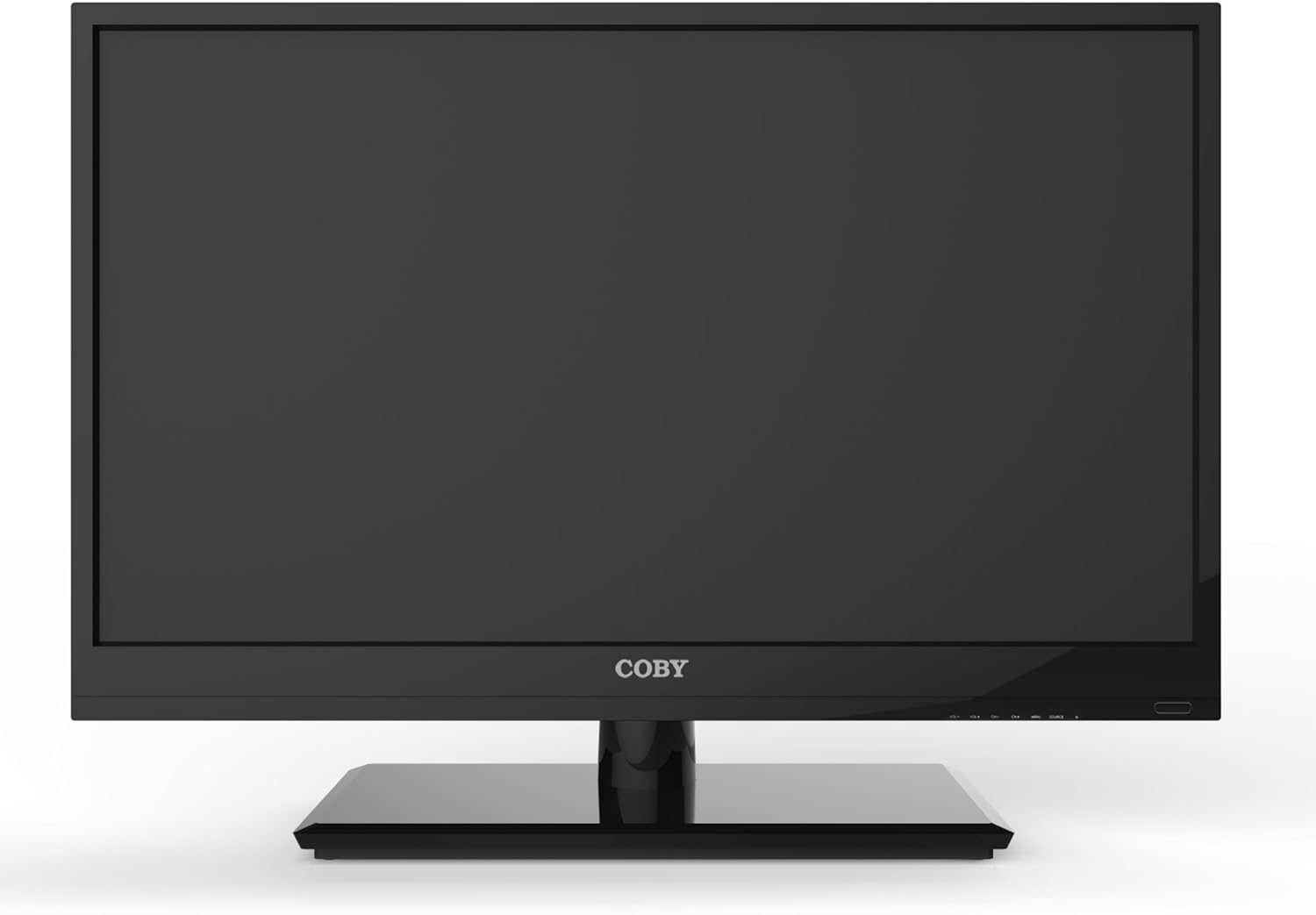
Slika 4.1: Prednja strana view of the Coby LEDTV3216 with stand.
4.2 Montiranje na zid (opciono)
The TV supports VESA 200mm x 200mm wall mounts. Wall mount hardware is not included. For safe installation, it is recommended to have the TV wall-mounted by a professional.
4.3 Povezivanje uređaja
The Coby LEDTV3216 offers various input ports on the rear panel for connecting external devices.
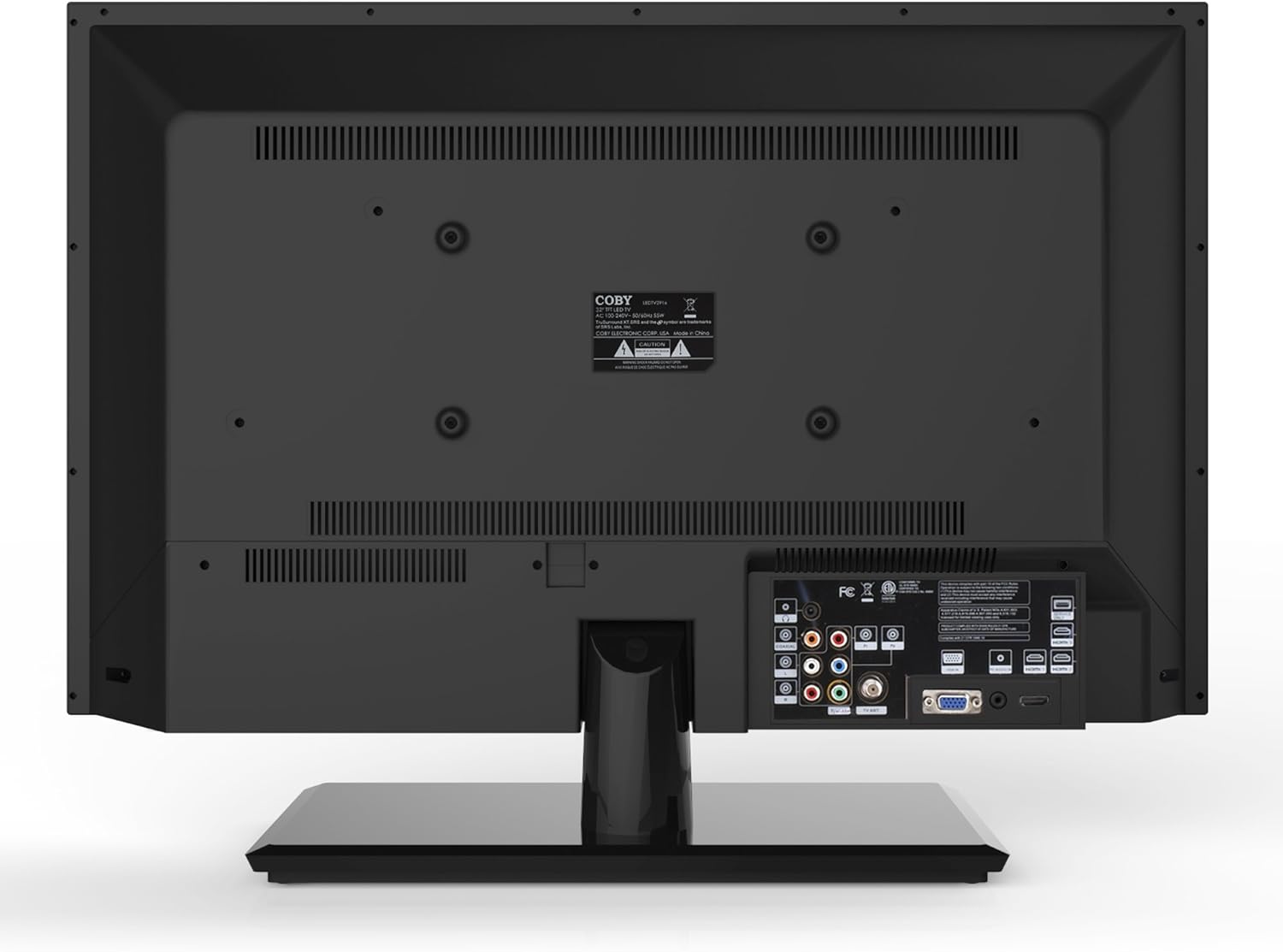
Slika 4.2: Pozadi view with input ports.
- HDMI: Connect high-definition devices such as Blu-ray players, game consoles, or cable/satellite boxes using an HDMI cable. The TV has 1 HDMI port.
- VGA (PC Input): Connect a computer to use the TV as a monitor. Use a VGA cable for video and a 3.5mm audio cable for audio input.
- Antena/kabel: Connect an antenna or cable TV feed to the RF input for receiving broadcast channels.
- Komponentni video (YPbPr): Connect devices using component video cables (red, green, blue) and corresponding audio cables (red, white).
- Kompozitni video (AV): Connect older devices using composite video (yellow) and stereo audio (red, white) cables.
4.4 Početno uključivanje
After connecting all desired devices and the power cord, press the Power button on the TV or remote control. Follow the on-screen prompts for initial setup, including language selection and channel scanning.
5. Upravljanje televizorom
5.1 Funkcije daljinskog upravljača
The remote control allows you to access all TV functions. Insert the two included AAA batteries into the remote control, observing polarity.
- Snaga: Uključuje ili isključuje TV.
- Ulaz/izvor: Selects the input source (HDMI, VGA, TV, AV, Component).
- Volumen (+/-): Podešava nivo jačine zvuka.
- Kanal (CH +/-): Mijenja TV kanale.
- meni: Otvara meni na ekranu (OSD).
- Navigacijski gumbi (gore/dolje/lijevo/desno): Krećite se kroz opcije menija.
- OK/Enter: Potvrđuje odabire.
- Izlaz: Zatvara meni.
- Isključi zvuk: Isključuje ili uključuje zvuk.
- Info: Prikazuje informacije o kanalu ili programu.
5.2 Navigacija izbornikom
Pritisnite Meni button on the remote to access the main menu. Use the navigation buttons to select categories such as Picture, Sound, Channel, Time, and Setup. Press OK to enter a sub-menu and adjust settings. Press Izađi da napustite meni.
5.3 Postavke slike
Adjust settings like Brightness, Contrast, Color, Tint, and Sharpness to optimize your viewing experience. Picture modes (e.g., Standard, Dynamic, Movie, User) are available for quick adjustments.

Figure 5.1: Coby LEDTV3216 displaying an image.
5.4 Postavke zvuka
Adjust Bass, Treble, and Balance. Sound modes (e.g., Standard, Music, Movie, User) are available. The TV features premium sound powered by SRS Labs.
5.5 Postavke kanala
Perform auto-scan or manual scan to find available channels. The built-in digital TV tuner supports ATSC, NTSC, and QAM standards.
5.6 Parental Control (V-Chip)
The V-chip parental control feature allows you to block programs based on their rating. Access this setting through the menu and follow the on-screen instructions to set up a password and content restrictions.
6. Karakteristike
Key features of the Coby LEDTV3216 include:
- Energy efficient technology (standby power less than 0.5W).
- Extended backlight life expectancy (30,000 hours).
- Built-in digital TV tuner (ATSC/NTSC/QAM).
- HDMI digital connection for perfect signal transmission.
- PC VGA connection for use as a computer monitor.
- Premium sound powered by SRS Labs.
- Digitalno smanjenje šuma.
- V-chip parental control, Closed-Caption, and Electronic Program Guide support.
- Energy Star 5.3 compliant.
- Multi-language on-screen display.
- Wall-Mountable design (200mm x 200mm VESA Mount).
7. Specifikacije
| Feature | Specifikacija |
|---|---|
| Naziv modela | LEDTV3216 |
| Veličina ekrana | 32 inča |
| Display Technology | LED |
| Rezolucija | 720p |
| Refresh Rate | 60 Hz |
| Kontrast Ratio | 3,000:1 |
| Vrijeme odgovora | 6 milisekundi |
| Tehnologija povezivanja | HDMI, VGA |
| Total Number of HDMI Ports | 1 |
| Tip tjunera | ATSC, NTSC, QAM |
| Roditeljska kontrola | V-Chip |
| VESA standard za montažu | 200 x 200 mm |
| Težina artikla | 18.08 funti |
| Boja | Crna |

Figure 7.1: Estimated Yearly Energy Cost for LEDTV3216.
8. Održavanje
8.1 Čišćenje ekrana
Nježno obrišite ekran mekom krpom koja ne ostavlja dlačice. Za tvrdokorne mrlje, laganoampOperite krpu vodom ili specijaliziranim sredstvom za čišćenje ekrana. Nikada ne prskajte sredstvo za čišćenje direktno na ekran.
8.2 Čišćenje kućišta
Obrišite kućište televizora mekom, suhom krpom. Izbjegavajte upotrebu abrazivnih sredstava za čišćenje ili rastvarača koji mogu oštetiti završnu obradu.
9. Otkrivanje problema
Ako imate problema s televizorom, pogledajte sljedeće uobičajene probleme i rješenja:
| Problem | Mogući uzrok / rješenje |
|---|---|
| Nema struje | Ensure the power cord is securely plugged into the TV and a working electrical outlet. Check the power indicator light. |
| Nema slike, ali je zvuk prisutan | Provjerite je li odabran ispravan ulazni izvor. Provjerite kablovske veze s vanjskim uređajima. |
| Nema zvuka, ali je slika prisutna | Provjerite nivo jačine zvuka i uvjerite se da TV nije isključen. Provjerite priključke audio kablova za eksterne uređaje. |
| Loš kvalitet slike | Adjust picture settings (brightness, contrast, sharpness). Ensure the antenna or cable connection is secure. For digital channels, perform a channel scan. |
| Daljinski upravljač ne radi | Check and replace batteries if necessary. Ensure there are no obstructions between the remote and the TV's IR sensor. |
10. Garancija i podrška
The Coby LEDTV3216 comes with a limited warranty. Please refer to the warranty card included with your product for specific terms and conditions. For technical support or service inquiries, please contact Coby customer service through their official webweb-mjesto ili kontakt informacije navedene u vašoj dokumentaciji o garanciji.