
Uvod
This manual provides essential information for the safe and effective operation of your Laserliner SoundTest-Master 082.070A Noise Level Meter. Please read these instructions carefully before using the device and keep them for future reference. The SoundTest-Master 082.070A is designed for precise measurement of noise levels, featuring integrated long-term memory and PC connectivity for comprehensive documentation.
Sigurnosna uputstva
- Always operate the device within its specified environmental conditions.
- Ne izlažite uređaj ekstremnim temperaturama, vlazi ili direktnoj sunčevoj svjetlosti.
- Izbjegavajte ispuštanje uređaja ili izlaganje jakim udarcima.
- Ne pokušavajte otvarati ili modificirati uređaj. Popravke treba obavljati samo ovlašteno osoblje.
- Držite uređaj dalje od jakih magnetnih polja.
- Ensure the microphone is clean and free from obstructions for accurate measurements.
Product Overview
The Laserliner SoundTest-Master 082.070A is a handheld noise level meter equipped with a sensitive electret condenser microphone and a clear, illuminated display. It features various controls for measurement settings and data management.

Slika 1: Front view of the SoundTest-Master 082.070A, showing the display, microphone with windshield, and control buttons.
Ključne komponente:
- Elektrokondenzatorski mikrofon: For capturing sound. Includes a removable windshield.
- Osvetljeni displej: Shows measurement values, settings, and status.
- Kontrolna dugmad: Power, Setup, Max, Record, A/C weighting, Fast/Slow time weighting, Level adjustment, Data send.
- Analogni izlazi: DC and AC outputs for external connections.
- RS232 sučelje: Optoisolated port for PC connection and data transfer.
Setup
1. Instalacija baterije
The device requires batteries for operation. Ensure correct polarity when inserting batteries into the compartment, typically located on the rear of the unit.
2. Početno uključivanje
Pritisnite Snaga button to turn on the device. The display will illuminate and show initial readings.
3. Windshield Attachment
Attach the removable windshield to the microphone to minimize wind noise interference during outdoor measurements.
Uputstvo za upotrebu
1. Osnovno mjerenje
- Uključite uređaj pomoću Snaga dugme.
- Point the microphone towards the sound source.
- The current noise level will be displayed in decibels (dB).
2. Frequency Weighting (dB(A), dB(C))
Koristite A/C button to switch between frequency weighting curves:
- dB (A): Simulates the human ear's response to sound, commonly used for environmental noise measurements.
- dB(C): Provides a flatter response, suitable for measuring peak sound pressure levels or low-frequency noise.
3. Time Weighting (Fast/Slow)
Pritisnite BRZO/SPORO dugme za odabir željenog vremenskog ponderiranja:
- FAST (125 ms): For measuring rapidly changing noise levels.
- SLOW (1 second): For measuring average noise levels over a longer period, suitable for stable noise sources.
4. Data Logging and PC Connection
The device features a long-term recording function with 16,000 memory points and real-time logging capabilities when connected to a PC.
- Internal Data Logging: Pritisnite RECORD button to start/stop internal data recording. The device can store up to 16,000 measurement points.
- PC veza: Povežite uređaj sa računarom pomoću priloženog RS232 kabla.
- softver: Install the provided software on your PC. This software allows for real-time data display, analysis, and download of recorded data.
- Slanje podataka: Koristite SEND DATA button to initiate data transfer to the connected PC.
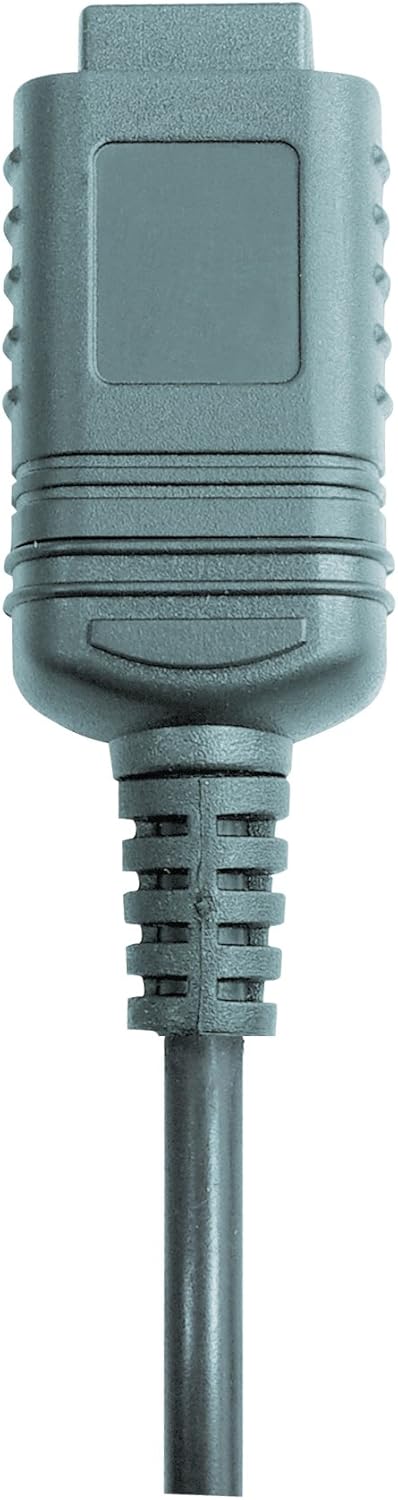

Slika 2: RS232 cable connectors used for connecting the SoundTest-Master to a PC.
5. Kalibracija
The device can be calibrated and adjusted using a standard noise level calibrator (94 dB / 1 kHz). Refer to the calibrator's instructions for the specific calibration procedure.
Održavanje
1. Čišćenje
- Obrišite uređaj casing mekom, suhom krpom.
- Nemojte koristiti abrazivna sredstva za čišćenje ili rastvarače.
- Ensure the microphone is kept clean and free of dust or debris.
2. Skladištenje
When not in use, store the SoundTest-Master in its protective case in a cool, dry place, away from direct sunlight and extreme temperatures. Remove batteries if storing for extended periods.
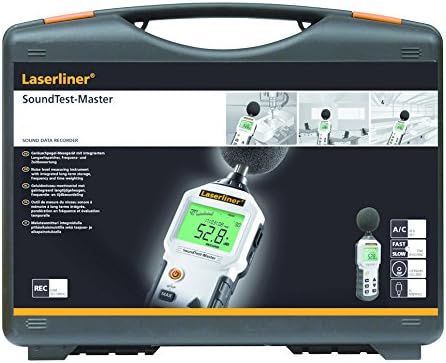
Slika 3: The SoundTest-Master 082.070A stored in its protective carrying case.
Rješavanje problema
| Problem | Mogući uzrok | Rješenje |
|---|---|---|
| Uređaj se ne uključuje. | Prazne ili nepravilno instalirane baterije. | Zamijenite baterije, pazeći na ispravan polaritet. |
| Netačna očitavanja. | Microphone obstructed or dirty; device needs calibration. | Clean microphone; perform calibration with a standard calibrator. |
| No data transfer to PC. | Incorrect cable connection; software not installed or configured. | Check RS232 cable connection; ensure PC software is correctly installed and running. |
| Ekran je taman ili nečitljiv. | Low battery power; display backlight off. | Replace batteries; check device settings for backlight control. |
Specifikacije
| Feature | Detalj |
|---|---|
| Naziv modela | SoundTest-Master |
| Broj dijela | 082.070A |
| Proizvođač | Umarex |
| Brand | Laserliner |
| Ponderiranje frekvencije | dB(A), dB(C) |
| Time Weighting | FAST (125 ms), SLOW (1 second) |
| Memorija podataka | 16,000 mernih tačaka |
| Interface | Optoisolated RS232 |
| Analogni izlazi | DC i AC |
| Kalibracija | Adjustable with 94 dB / 1 kHz standard calibrator |
| Mikrofon | Sensitive electret condenser with removable windshield |
| Display | Illuminated, clear display |
| Težina artikla | 1.18 kilograma (2.6 funti) |
| Dimenzije proizvoda | 10.33 x 5.51 x 13.78 inča |
| Materijal | Metal (Frame, Barrel) |
| Boja | Crna i siva |
| Baterije su potrebne | Yes (not included, type not specified in data) |
Garancija i podrška
For warranty information and technical support, please refer to the documentation included with your purchase or visit the official Laserliner website.