
1. Proizvod je gotovview
The Coleman AIRXCEL 9430A3372 is a digital wall-mounted thermostat designed for recreational vehicles (RVs). It provides precise control over single-stage heating and cooling systems, ensuring comfortable indoor temperatures. This model is available in white and offers a clear digital display for easy temperature monitoring and mode selection.
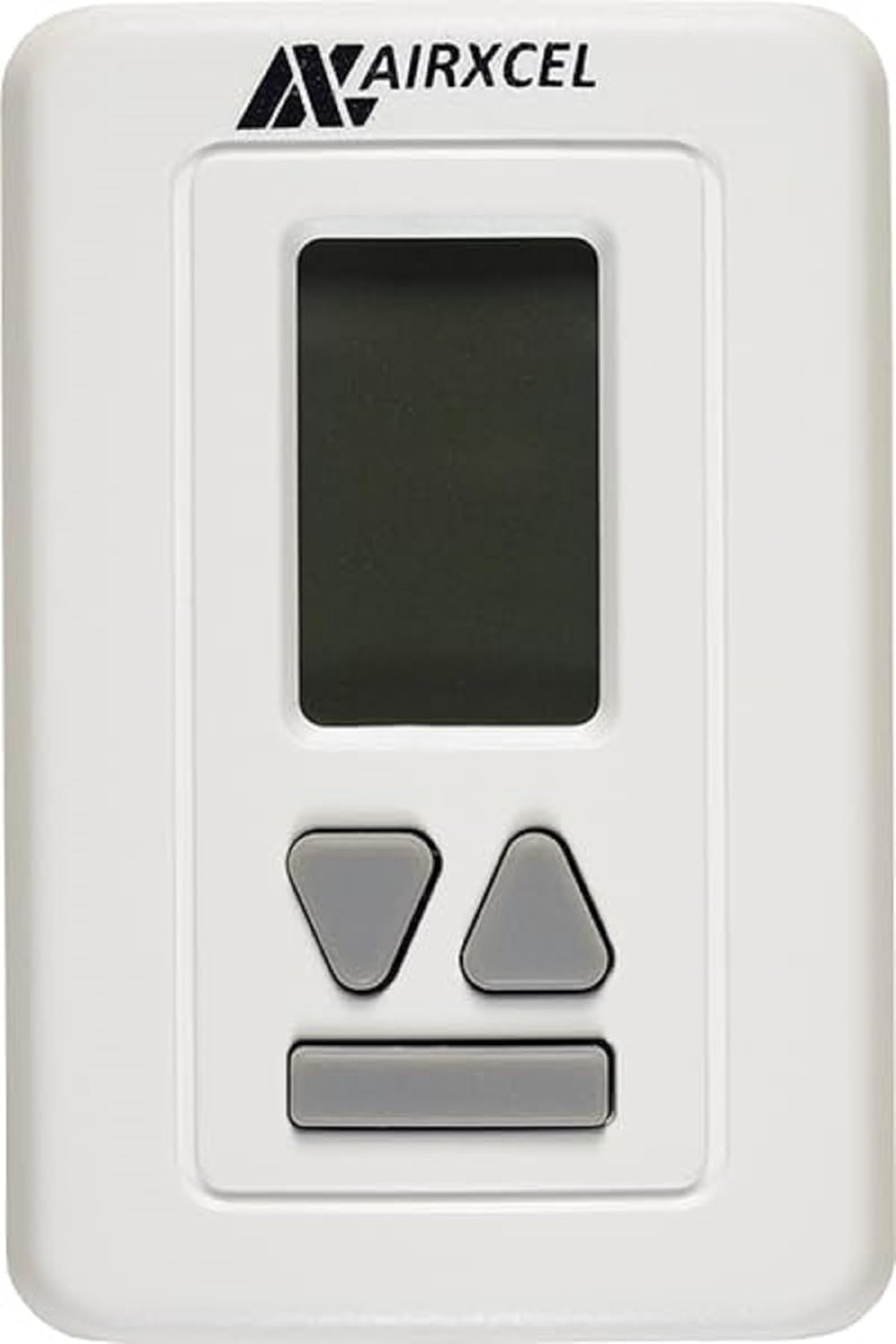
Slika: Front view of the Coleman AIRXCEL 9430A3372 Digital RV Thermostat, white with a digital display and control buttons.
2. Šta se nalazi u kutiji
Nakon otvaranja pakovanja, provjerite da li su sve komponente prisutne:
- Airxcel 9430A337 Digital Wall Thermostat (Heat/Cool)
- Installation and Operation Guide (this manual)
3. Postavljanje i instalacija
Proper installation is crucial for the optimal performance of your thermostat. If you are unsure about any steps, it is recommended to consult a qualified technician.
3.1 Sigurnosne mjere
- UPOZORENJE: Always turn off the power to your RV's furnace and air conditioning unit at the circuit breaker before beginning any wiring or installation. Failure to do so can result in electrical shock or damage to the unit.
- Ensure the mounting surface is flat and free from obstructions.
3.2 Montiranje termostata
- Carefully remove your old thermostat from the wall. Note the existing wiring connections.
- Position the new Coleman AIRXCEL 9430A3372 thermostat in the desired location. The mounting holes are typically designed to match standard RV thermostat placements.
- Secure the thermostat base to the wall using appropriate screws (not included, typically reused from the old unit or provided with the RV).
3.3 Upute za ožičenje
The Coleman AIRXCEL 9430A3372 is designed for straightforward replacement of many analog RV thermostats. The wiring connections are typically a direct wire-for-wire match.
- Identify the wires from your RV's system. There are typically six wires for single-stage heat/cool systems.
- Connect each wire from your RV to the corresponding terminal on the new thermostat. It is highly recommended to connect one wire at a time to ensure correct matching.
- Use wire nuts or appropriate connectors to secure the connections. Ensure all connections are tight and insulated.
- Once wiring is complete, carefully attach the thermostat faceplate to the base.
3.4 Početno uključivanje i testiranje
- Restore power to your RV's furnace and air conditioning unit at the circuit breaker.
- Displej termostata bi trebao svijetliti, prikazujući trenutnu temperaturu prostorije.
- Test both heating and cooling functions to ensure proper operation.
Video: Detaljan pregledview of the Airexcel Digital RV Thermostat, demonstrating its features and basic operation. This video can assist with understanding the unit's functionality.
4. Uputstvo za upotrebu
Your Coleman AIRXCEL 9430A3372 thermostat is designed for user-friendly operation. The digital display provides clear information, and the control buttons allow for easy adjustments.
4.1 Razumijevanje ekrana
The digital screen displays the current room temperature and the set temperature. Indicators for the selected mode (Cool, Heat, Fan) and fan speed (Lo, Hi, Auto) are also shown.
4.2 Podešavanje temperature
- Koristite Up i Dole tipke sa strelicama za povećanje ili smanjenje željene postavljene temperature.
- The set temperature will flash briefly and then lock in once adjusted.
4.3 Odabir načina rada
Pritisnite Mode button (often a central button or labeled 'Mode') to cycle through the available operating modes:
- cool: Activates the air conditioning to cool the RV to the set temperature. The fan will run continuously or cycle with the compressor depending on the fan setting.
- Heat (Gas): Activates the RV's propane furnace to heat the RV to the set temperature.
- Heat (Electric/Heat Pump): Utilizes the built-in heat pump in the AC unit to provide electric heating. This mode is energy-efficient in moderate temperatures.
- Dry Cool (Dehumidifier): This mode helps remove moisture from the air. The unit may run even if the room temperature is at or below the set temperature if high humidity is detected, potentially making the room cooler than the set point.
- Isključeno: Isključuje sve funkcije grijanja i hlađenja.
4.4 Podešavanje brzine ventilatora
After selecting a mode, you can often adjust the fan speed. Press the Fan button to cycle through fan speed options:
- Lo (Low): The fan operates at a lower speed.
- Hi (High): The fan operates at a higher speed for faster air circulation.
- Auto: The fan speed automatically adjusts based on the heating or cooling demand.
- You can also run the fan independently (without heating or cooling) to circulate air by selecting the "Fan" mode and choosing your desired speed.
5. Održavanje
Redovno održavanje osigurava dugotrajnost i efikasnost vašeg termostata.
- čišćenje: Nježno obrišite vanjštinu termostata mekom,amp krpom. Izbjegavajte upotrebu abrazivnih sredstava za čišćenje ili rastvarača, jer oni mogu oštetiti završnu obradu ili elektroničke komponente.
- Protok zraka: Osigurajte da područje oko termostata bude bez prepreka kako bi se omogućilo precizno mjerenje temperature.
- Zamjena baterije: (If applicable, check your specific model for battery compartment) If your thermostat uses batteries, replace them annually or when the low battery indicator appears on the display.
6. Otkrivanje problema
Ako imate problema s termostatom, isprobajte ove uobičajene korake za rješavanje problema:
- Nema prikaza/Nema napajanja:
- Check the circuit breaker for your RV's HVAC system and ensure it is in the "ON" position.
- Provjerite jesu li svi spojevi ožičenja sigurni.
- If battery-operated, replace the batteries.
- Sistem ne reaguje (Nema grijanja/hlađenja):
- Ensure the thermostat is set to the correct operating mode (Cool or Heat) and the set temperature is appropriate (e.g., below room temp for cooling, above for heating).
- Check if the fan is running. If not, check fan settings.
- Allow a few minutes for the system to respond after making changes, as some systems have a built-in delay.
- Netačno očitavanje temperature:
- Ensure the thermostat is not exposed to direct sunlight, drafts, or heat sources (like appliances or vents) that could affect its sensor.
- Očistite prašinu ili ostatke iz otvora za ventilaciju termostata.
If these steps do not resolve the issue, contact Coleman customer support or a certified RV technician.
7. Specifikacije
| Feature | Detalj |
|---|---|
| Brand | Coleman (Airxcel) |
| Broj modela | 9430A3372 |
| Tip | Digitalni zidni termostat |
| Kompatibilnost sistema | Samac Stage Heat/Cool |
| Voltage | 24 Volts |
| Težina artikla | 0.01 unce |
| Dimenzije paketa | 5.59 x 3.78 x 1.5 inča |
| Zemlja porijekla | Kina |
| First Available | 7. novembra 2011 |
8. Garancija i podrška
For detailed warranty information and customer support, please refer to the official Coleman or Airxcel webweb-mjesto ili direktno kontaktirajte njihovu korisničku službu. Sačuvajte račun kao dokaz o kupovini za reklamacije u slučaju reklamacije.
Online resursi i često postavljana pitanja mogu biti dostupni i na web stranici proizvođača webstranica za pomoć pri uobičajenim pitanjima i problemima.