
Jasnoća 600
Clarity Wake Assure+ Desktop Alarm Clock
Model: 600
Product Overview
The Clarity Wake Assure+ Desktop Alarm Clock is designed to provide a reliable and effective wake-up solution, especially for heavy sleepers, the deaf, and the hard of hearing. It combines a loud audible alarm with a powerful vibrating bed shaker to ensure you never miss an important wake-up call.
Ključne karakteristike uključuju:
- Guaranteed Wake-Up: Choose between a loud audible alarm (up to 85dB), a powerful vibrating bed shaker, or both.
- Customizable Alarm: Adjustable volume and tone settings for the audible alarm.
- Ekran koji se lako čita: Large 1.8-inch digital LCD display with full dimmable functionality to reduce light disturbance.
- Rezervna kopija baterije: Maintains time and program settings during power outages with a standard 9V battery (not included).
- Built-in Telephone Jack: Alerts users to incoming phone calls, beneficial for landline users or those with videophones.
- AC napaja: Plugs into any standard wall outlet, eliminating the need for frequent battery replacements for primary operation.
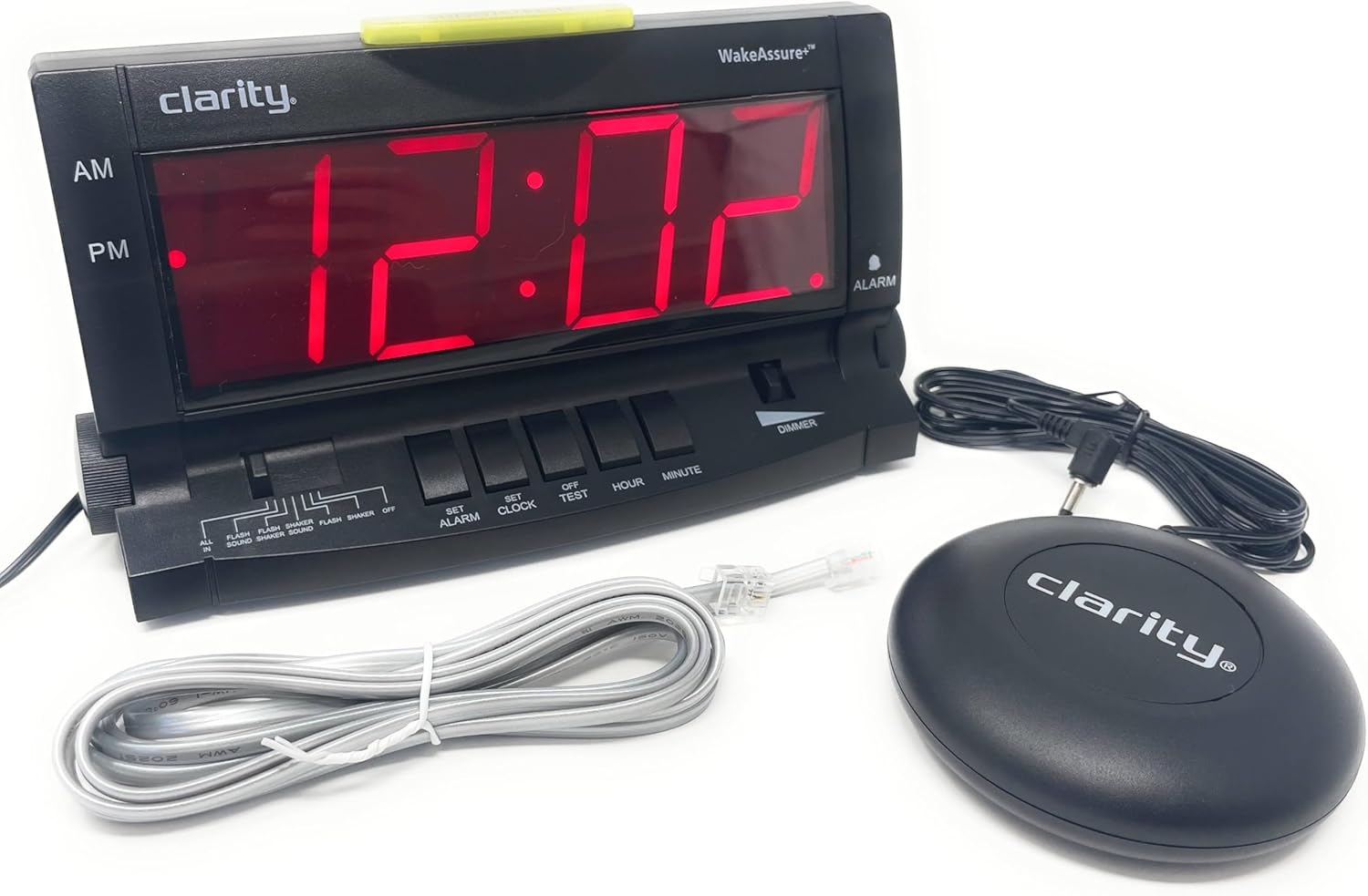
Setup
- Raspakivanje: Carefully remove all components from the packaging. Verify that you have the alarm clock unit, vibrating bed shaker, and AC power adapter.
- Priključak za napajanje: Insert the small plug of the AC power adapter into the 9V DC jack located on the back of the alarm clock. Plug the AC adapter into a standard wall outlet. The display will illuminate.

Slika 2: Pozadi view of the alarm clock, highlighting the 9V DC power input and the vibrating shaker port. - Battery Backup Installation (Optional but Recommended): Za snagu outage protection, open the battery compartment on the back of the unit and insert one standard 9V battery (not included). Close the compartment securely. This battery will maintain time and alarm settings during a power interruption.
- Connecting the Vibrating Bed Shaker: Plug the cord of the vibrating bed shaker into the dedicated shaker port on the back of the alarm clock. Place the shaker under your pillow or mattress for optimal vibration.
- Podešavanje vremena:
- Pritisnite i držite SET CLOCK dugme.
- Dok drži SET CLOCK, pritisnite HOUR button to adjust the hour. Observe the AM/PM indicator.
- Dok drži SET CLOCK, pritisnite MINUTE dugme za podešavanje minuta.
- Otpustite SET CLOCK dugme kada je podešeno tačno vrijeme.
- Connecting to Telephone Line (Optional): If you wish to be alerted to incoming phone calls, connect a telephone line cord (included) from your wall jack to either the LINE 1 or LINE 2 port on the side of the alarm clock.
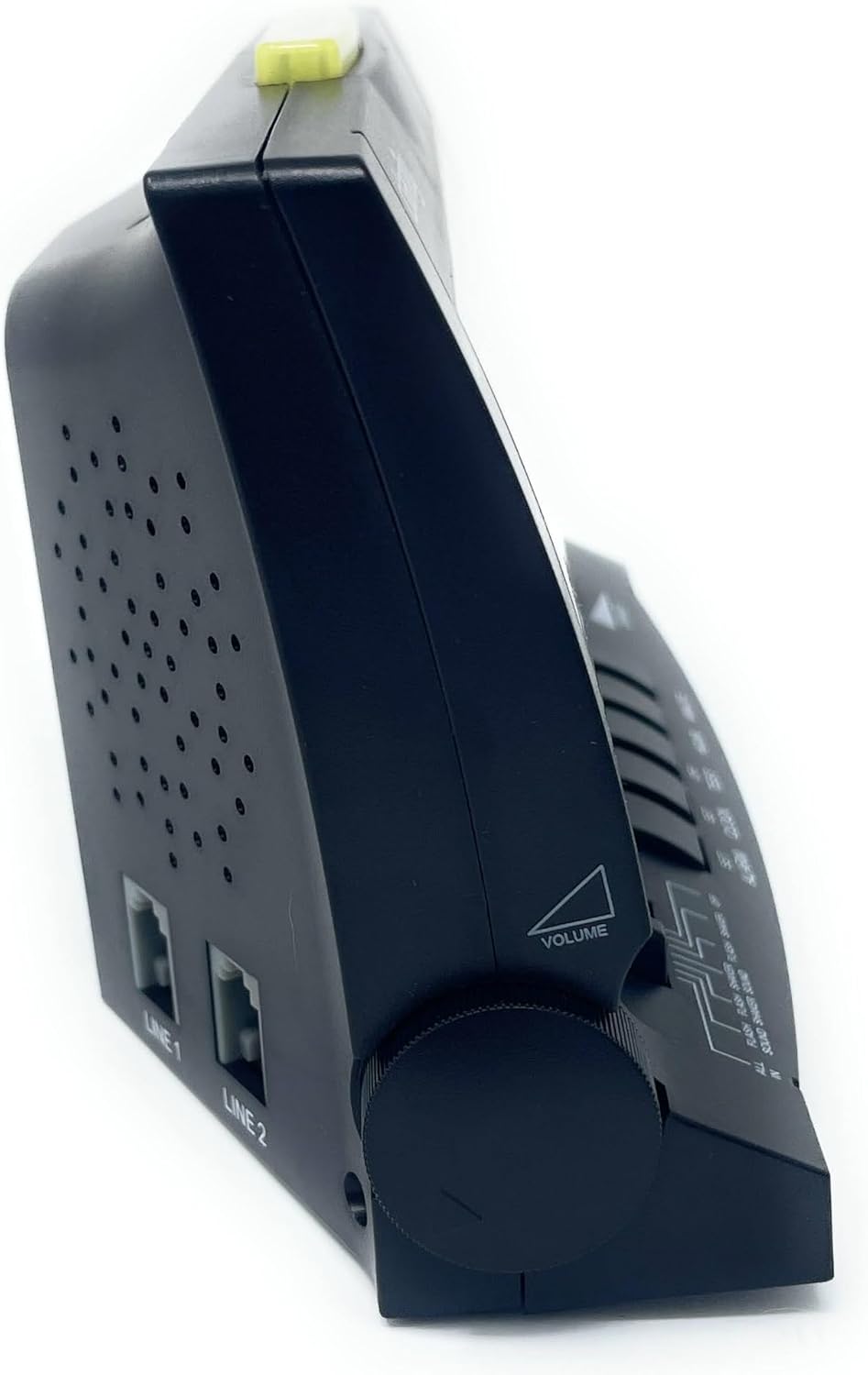
Slika 3: Bočna strana view of the alarm clock, illustrating the volume control knob and the telephone line input jacks.
Uputstvo za upotrebu
Postavljanje alarma
- Pritisnite i držite POSTAVI ALARM dugme.
- Dok drži POSTAVI ALARM, pritisnite HOUR button to adjust the alarm hour. Observe the AM/PM indicator.
- Dok drži POSTAVI ALARM, pritisnite MINUTE dugme za podešavanje minute alarma.
- Otpustite POSTAVI ALARM dugme kada je postavljeno željeno vrijeme alarma.
- Da biste aktivirali alarm, pomaknite NAČIN ALARMA switch (located on the front panel) to your preferred setting:
- SVE U: Activates sound, flash, and shaker.
- FLASH SOUND SHAKER: Activates flash, sound, and shaker.
- FLASH ZVUK: Activates flash and sound.
- FLASH SHAKER: Activates flash and shaker.
- ZVUK: Activates sound only.
- SHAKER: Activates shaker only.
- ISKLJUČENO: Alarm je deaktiviran.

Slika 4: Prednja strana view of the alarm clock, showing the large digital display and the alarm mode selection switch.
Podešavanje jačine zvuka i tona alarma
- Volumen: Rotirajte VOLUME knob located on the left side of the unit to increase or decrease the audible alarm volume.
- ton: Rotirajte TONE knob located on the right side of the unit to adjust the pitch (frequency) of the audible alarm. This is particularly useful for individuals with specific hearing loss frequencies.

Slika 5: Bočna strana view of the alarm clock, illustrating the tone control knob.
Funkcija odgode
Kada se oglasi alarm, pritisnite veliko dugme ODGODI/RESET bar located on the top of the unit to temporarily silence the alarm. The alarm will sound again after approximately 9 minutes.

Dimmer funkcija
Povucite DIMMER switch (located on the front panel) to adjust the brightness of the digital display. This allows you to set the display to a comfortable level for day or night viewing.
Telephone Call Alert
If connected to a telephone line, the alarm clock will provide an alert (flash, sound, or shaker, depending on alarm mode settings) when an incoming call is detected, even if the alarm is not set to go off.
Održavanje
- čišćenje: To clean the alarm clock, wipe the exterior surfaces with a soft, dry cloth. Do not use abrasive cleaners, waxes, or solvents as they may damage the finish. Ensure the unit is unplugged before cleaning.
- Zamjena baterije: If the battery backup is installed, replace the 9V battery annually or if the clock loses time during a power outage.
- Skladištenje: If storing the unit for an extended period, unplug it from the power outlet and remove the 9V battery.
Rješavanje problema
| Problem | Mogući uzrok | Rješenje |
|---|---|---|
| Prikaz sata je prazan. | No power, AC adapter unplugged, or power outage with no battery backup. | Ensure AC adapter is securely plugged into the clock and a working wall outlet. Install a fresh 9V battery for backup. |
| Alarm se ne oglašava/ne vibrira/ne treperi. | Alarm not set, alarm mode switch set to OFF, or volume too low. | Verify alarm time is set correctly. Check that the ALARM MODE switch is set to a desired alert option (e.g., ALL IN, SOUND, SHAKER). Increase volume if using audible alarm. Ensure shaker is properly connected. |
| Ekran je previše svijetao/tamn. | Dimmer switch setting. | Adjust the DIMMER switch on the front panel to your preferred brightness level. Note: The display has specific brightness levels, not a continuous dimming range. |
| Telephone alert not working. | Telephone line not connected, or alarm mode not set to include flash/sound/shaker. | Ensure telephone line is securely connected to the clock and wall jack. Check that the ALARM MODE switch is set to an option that includes a visual, audible, or vibratory alert. |
| Vrijeme je netačno nakon nestanka strujetage. | No 9V battery installed, or battery is depleted. | Install a fresh 9V battery for battery backup. Reset the time if necessary. |
Specifikacije
| Feature | Detalj |
|---|---|
| Brand | Jasnoća |
| Broj modela | 600 |
| Display Type | Digital LCD (1.8" tall) |
| Jačina alarma | Do 85dB |
| Izvor napajanja | AC-Powered with 9V Battery Backup (battery not included) |
| Dimenzije proizvoda | 6.5 cm Š x 4 cm V |
| Težina artikla | 2.45 funte |
| Materijal | Plastika |
| Posebne karakteristike | Vibrating Bed Shaker, Adjustable Tone, Dimmable Display, Telephone Jack |
Informacije o garanciji
The Clarity Wake Assure+ Desktop Alarm Clock comes with a Ograničena garancija. Please refer to the warranty card included in your product packaging for specific terms, conditions, and duration of coverage. Retain your proof of purchase for warranty claims.
Korisnička podrška
For technical assistance, troubleshooting beyond this manual, or warranty inquiries, please contact Clarity customer support. Contact information can typically be found on the manufacturer's webweb-mjestu ili na ambalaži proizvoda.
You may also visit the product page on Amazon for additional resources and frequently asked questions: Stranica proizvoda na Amazonu
Povezani dokumenti - 600
 |
Clarity C4220+ Extra Loud Cordless Speakerphone with Caller ID User Guide Comprehensive user guide for the Clarity C4220+ Extra Loud Cordless Speakerphone with Caller ID. Learn about safety instructions, installation, features, troubleshooting, and technical specifications. |
 |
Clarity Chat+ Vodič za brzi početak rada sa slušnim aparatom - Podešavanje i korištenje Sveobuhvatni vodič za brzi početak za Clarity Chat+ slušne aparate (model JH-DW3F). Saznajte kako aktivirati, podesiti, puniti, povezati se putem Bluetootha i koristiti aplikaciju za ove slušne aparate koji se prodaju bez recepta. |
 |
Clarity JV35 Korisnički priručnik za telefon s govorom Sveobuhvatno korisničko uputstvo za Clarity JV35 telefon, koje detaljno opisuje instalaciju, funkcije i rad za poboljšanu komunikaciju. |
 |
Clarity SR100 Super Loud Phone Ringer User Guide User guide for the Clarity SR100 Super Loud Phone Ringer, detailing operation, safety instructions, installation steps, warranty information, and regulatory compliance. |
 |
Clarity XLC3.4 korisnički priručnik: Bežični zvučnik izuzetno glasan Ovaj sveobuhvatni korisnički vodič za Clarity XLC3.4 ekstra glasni bežični spikerfon detaljno opisuje instalaciju, podešavanje, funkcije poput Caller ID-a i ClarityLogic-a, upravljanje baterijom, podešavanje jačine zvuka i tona te rješavanje problema. Saznajte kako optimizirati njegovu upotrebu za jasne i pristupačne razgovore. Posjetite clarityproducts.com za više informacija. |
 |
Clarity Pal Amplified Mobile Phone User Guide User guide for the Clarity Pal amplified mobile phone, designed for seniors. Learn about setup, features, operations, safety, and warranty. |