
1. Uvod
This manual provides essential information for the safe and efficient operation of your Sharp Aquos LC42D64U 42-Inch 1080p LCD HDTV. Please read these instructions thoroughly before using your television and retain them for future reference. The Sharp Aquos D64 series offers a slim design, Full HD 1080p resolution, and advanced features for an enhanced viewing iskustvo.
2. Važne informacije o sigurnosti
Uvijek se pridržavajte osnovnih sigurnosnih mjera opreza prilikom korištenja ovog televizora kako biste smanjili rizik od požara, strujnog udara i ozljeda.
- Izvor napajanja: Connect the TV only to the power supply indicated on the label.
- ventilacija: Osigurajte odgovarajuću ventilaciju. Ne blokirajte ventilacijske otvore.
- Voda i vlaga: Ne izlažite TV kiši ili vlazi. Ne stavljajte predmete napunjene tekućinom na TV.
- čišćenje: Isključite televizor iz zidne utičnice prije čišćenja. Koristite meku, suhu krpu.
- servisiranje: Ne pokušavajte sami servisirati ovaj proizvod. Sve servise prepustite kvalificiranom servisnom osoblju.
- Montaža: If wall-mounting, ensure the mount is compatible and installed by qualified personnel.
- djeca: Nadzirite djecu kako biste ih spriječili da se penju na televizor ili igraju s njim.
3. Šta se nalazi u kutiji
Prije nego što nastavite s postavljanjem, provjerite jesu li sve komponente prisutne.
- Sharp Aquos LC42D64U 42-Inch LCD HDTV
- Daljinski upravljač
- Table Stand
- Kabl za napajanje
- Korisnički priručnik (ovaj dokument)
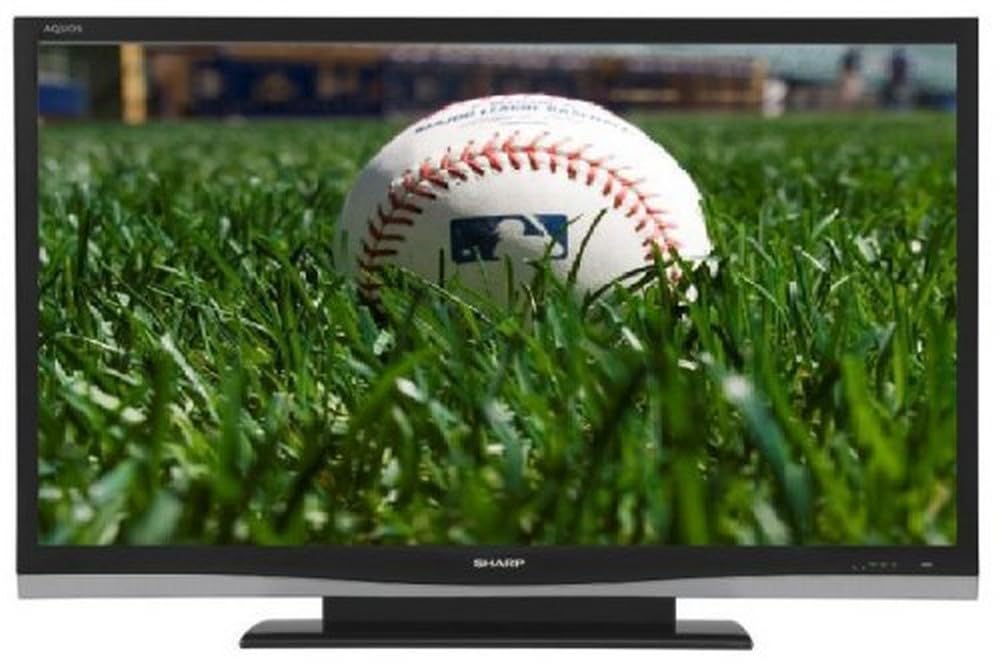
Slika: Front view of the Sharp Aquos LC42D64U 42-Inch LCD HDTV with its included table stand.
4. Podešavanje
4.1 Pričvršćivanje postolja za sto
If you are not wall-mounting the television, attach the included table stand. Refer to the separate assembly guide for detailed instructions on securing the stand to the TV. Ensure all screws are tightened securely.
4.2 Povezivanje vanjskih uređaja
Connect your external devices (e.g., cable box, Blu-ray player, game console) to the appropriate input terminals on the rear or side of the TV.
- HDMI: For high-definition digital video and audio. The TV features three HDMI 1.3 inputs (two rear, one side).
- Component Video (Y, Pb, Pr): For high-definition analog video. Two inputs are available.
- Composite Video (A/V): For standard-definition analog video and audio. One side and one rear input.
- S-Video: For standard-definition video. One side and one rear input.
- PC Input (D-Sub 15-pin): Povežite računar da biste ga koristili kao monitor.
- RF Antenna Inputs: Two inputs for connecting an antenna or cable TV.
- Ethernet priključak: For network connectivity (DLNA).
4.3 Priključak za napajanje
After connecting all desired devices, plug the power cord into the TV's power inlet and then into a wall outlet. The TV will enter standby mode.
5. Uputstvo za upotrebu
5.1 Početno uključivanje i podešavanje kanala
- Pritisnite POWER button on the remote control or the TV to turn it on.
- The first time you power on, the TV will guide you through the initial setup process, including language selection and channel scanning.
- Select your preferred language (English, Spanish, or French).
- Perform an "Easy Setup" or "Channel Setup" scan to detect available digital (ATSC, QAM) and analog (NTSC) channels.
5.2 Osnovne funkcije daljinskog upravljača
- SNAGA: Turns the TV on or off (standby).
- ULAZ: Cycles through available input sources (HDMI, Component, PC, etc.).
- CH +/-: Mijenja kanale.
- VOL +/-: Podešava jačinu zvuka.
- MENI: Accesses the on-screen menu for settings adjustments.
- DUGME SA STRELICAMA: Krećite se kroz opcije menija.
- ENTER: Potvrđuje odabire.
- EXIT/RETURN: Izlazi iz menija ili se vraća na prethodni ekran.
5.3 Navigacija kroz meni i postavke
Pritisnite MENU button to access various settings categories:
- slika: Adjust brightness, contrast, color, tint, sharpness, and backlight. The OPC function automatically adjusts brightness based on room conditions.
- audio: Control volume, bass, treble, balance, and select audio modes.
- Kanal: Rescan channels, add/delete channels, and set up favorite channels.
- Postavljanje: General settings like language, time, sleep timer, and parental controls (V-Chip).
- Napredne karakteristike: Access settings for DLNA, Picture-in-Picture, and AQUOS LINK.
6. Napredne funkcije
6.1 AQUOS LINK (HDMI-CEC)
AQUOS LINK allows convenient control of compatible Sharp devices connected via HDMI using just your AQUOS TV remote. Ensure connected devices also support HDMI-CEC (Consumer Electronics Control) and are enabled in their respective settings.
6.2 DLNA Compatibility
The TV is DLNA-compatible, enabling interoperability with other DLNA-certified electronics, computers, and mobile devices. Connect the TV to your home network via the Ethernet port to access and share digital content (photos, videos, music) from compatible devices on your network.
6.3 Slika u slici (PIP)
The Picture-in-Picture function allows simultaneous viewing of a TV program and a video or PC source. Consult the on-screen menu for PIP activation and source selection.
6.4 V-Chip System
The V-Chip system allows you to block TV and movie programs based on their rating, providing parental control over objectionable content. Access V-Chip settings through the TV's setup menu.
7. Održavanje
7.1 Čišćenje ekrana
Nježno obrišite ekran mekom krpom koja ne ostavlja dlačice. Za tvrdokorne mrlje, laganoampobrišite krpu vodom ili specijaliziranim sredstvom za čišćenje ekrana. Nemoj use harsh chemicals, abrasive cleaners, or spray liquids directly onto the screen.
7.2 Čišćenje kućišta
Wipe the TV cabinet with a soft, dry cloth. Avoid using solvents or abrasive materials.
7.3 Opšta njega
- Isključite televizor iz struje tokom oluje sa grmljavinom ili kada ga ne koristite duži period.
- Držite televizor dalje od direktne sunčeve svjetlosti, izvora toplote i prekomjerne prašine.
- Osigurajte dovoljno prostora oko televizora za pravilnu ventilaciju.
8. Otkrivanje problema
Prije nego što kontaktirate korisničku podršku, isprobajte sljedeća rješenja za uobičajene probleme:
| Problem | Moguće rješenje |
|---|---|
| Nema struje | Provjerite je li kabel za napajanje sigurno priključen u TV i zidnu utičnicu. Osigurajte da utičnica ima napajanja. |
| Nema slike, ali je zvuk prisutan | Provjerite je li odabran ispravan ulazni izvor. Provjerite kablovske veze s vanjskim uređajima. |
| Nema zvuka, ali je slika prisutna | Check the volume level and mute setting. Ensure audio cables are correctly connected. |
| Daljinski upravljač ne radi | Zamijenite baterije. Provjerite da nema prepreka između daljinskog upravljača i IR senzora televizora. |
| "Hotel Mode" issue (as per customer review) | If the TV is stuck in a limited functionality mode, contact Sharp customer support for assistance in disabling "Hotel Mode." This typically requires a specific service menu sequence. |
9. Specifikacije
| Feature | Detalj |
|---|---|
| Broj modela | LC42D64U |
| Veličina ekrana | 42 inča |
| Display Technology | LCD |
| Rezolucija | 1080p (Full HD) |
| Kontrast Ratio | 10,000:1 Dynamic |
| Vrijeme odgovora | 4 milisekundi |
| HDMI portovi | 3 (2 stražnja, 1 bočna) |
| Komponentni video ulazi | 2 |
| Kompozitni video ulazi | 3 (1 bočne, 2 stražnje) |
| S-Video Inputs | 2 (1 bočne, 1 stražnje) |
| PC ulaz | 1 (D-Sub 15-pin) |
| Ethernet port | Da |
| Tip tjunera | ATSC, QAM, NTSC |
| Roditeljska kontrola | V-Chip |
| Težina | 70.2 funti (otprilike) |
| Model Year | 2008 |
10. Garancija i podrška
10.1 Ograničena garancija
This Sharp Aquos LC42D64U television comes with a 1 Year Parts and 1 Year Labor Warranty from the date of original purchase. This warranty covers manufacturing defects in materials and workmanship under normal use. It does not cover damage caused by misuse, accident, modification, or unauthorized repair.
Molimo sačuvajte svoj dokaz o kupovini za zahtjeve u vezi s garancijom.
10.2 Korisnička podrška
For technical assistance, troubleshooting beyond this manual, or warranty service, please contact Sharp Customer Support. Refer to the contact information provided with your product documentation or visit the official Sharp webstranicu za najnovije detalje o podršci.
When contacting support, please have your model number (LC42D64U) and serial number ready.