
Logitech 967670-0403
Logitech bežični desktop LX 710 laserski priručnik za korisnike
Model: 967670-0403
Uvod
This manual provides comprehensive instructions for the setup, operation, and maintenance of your Logitech Cordless Desktop LX 710 Laser. This product is designed to enhance your computing experience with its cordless keyboard and laser mouse, offering advanced features for media control and navigation.
Sadržaj paketa
Provjerite da li se u paketu vašeg proizvoda nalaze sve dolje navedene stavke:
- Logitech LX 710 Cordless Keyboard
- Logitech LX 7 Cordless Laser Mouse
- USB mini-receiver
- 4 AA alkalne baterije
- CD sa softverom, smjernicama za udobnost i centrom za pomoć
- Vodič za brzi početak
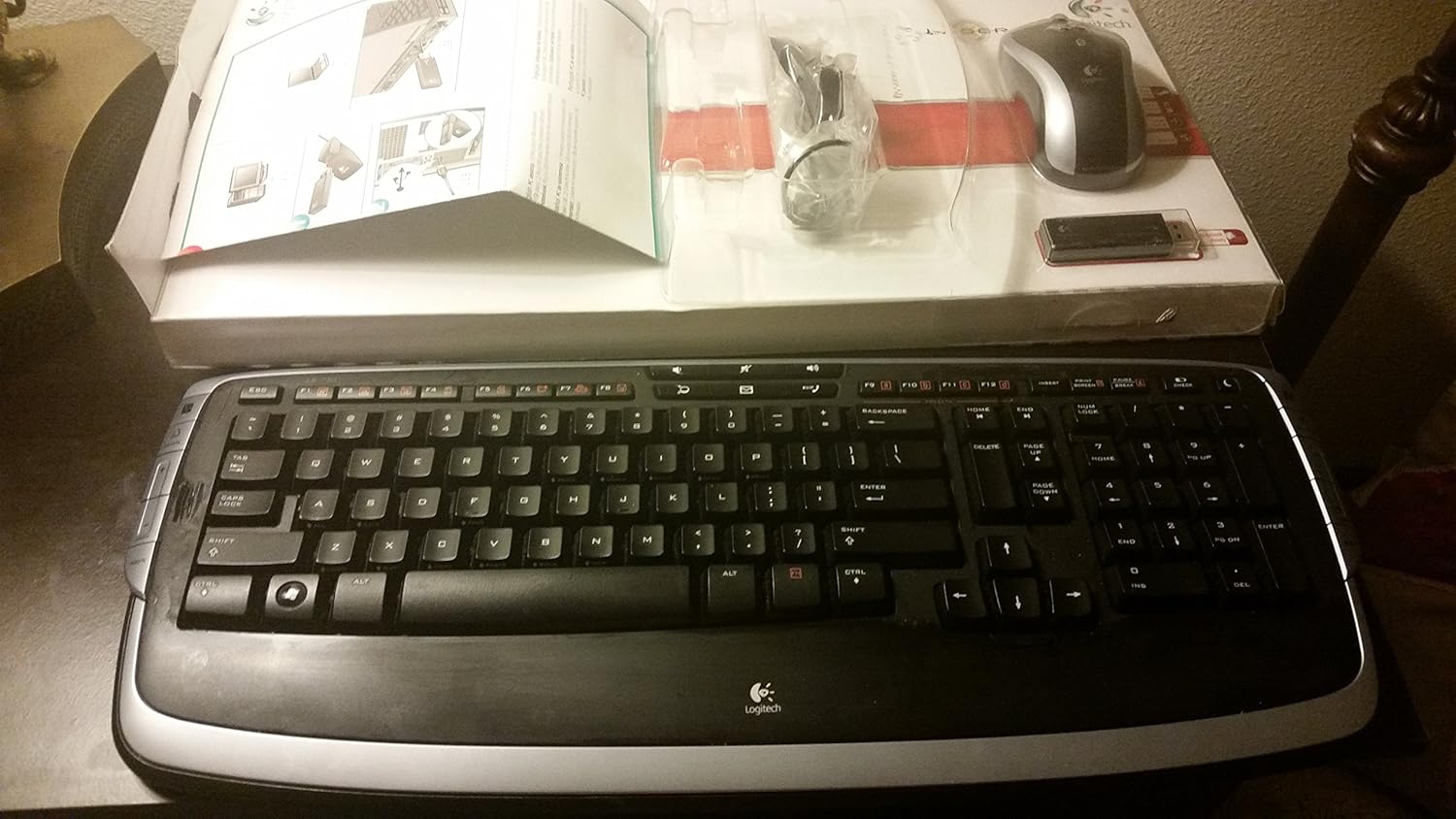
Slika 1: Contents of the Logitech Cordless Desktop LX 710 Laser package, including the keyboard, mouse, USB receiver, and documentation.
Setup
Sistemski zahtjevi
- PC with Windows XP or Windows Vista
- 1 dostupan USB port
- CD-ROM pogon
1. Instalirajte baterije
Insert the provided AA alkaline batteries into the keyboard and mouse. Ensure correct polarity as indicated inside the battery compartments.
The keyboard typically requires 2 AA batteries, and the mouse typically requires 2 AA batteries.
2. Connect the USB Mini-Receiver
Plug the USB mini-receiver into an available USB port on your computer. The operating system should automatically detect the new hardware.
3. Instalirajte softver
Insert the provided CD into your computer's CD-ROM drive. Follow the on-screen instructions to install the Logitech software. This software enables customization of hot-keys and other advanced features.
Nakon instalacije, ponovo pokrenite računar ako se to od vas zatraži.
Uputstvo za upotrebu
Karakteristike tastature

Slika 2: Close-up view of the Logitech LX 710 Cordless Keyboard, highlighting its layout and media controls.
- Adjustable Keyboard Angles: Utilize the 3-way adjustable tilt legs located on the underside of the keyboard to set your preferred typing angle for maximum comfort.
- Programmable Hot-Keys: Convenient hot-keys are available to instantly open applications, games, folders, and web pages. To customize a hot-key, perform a long press on the desired key.
- Instant Access to Your Music: Powerful, side-mounted controls provide quick access to your favorite media applications, including Apple iTunes or Windows Media Player.
- One-Touch Communication: Manage your Internet communications with dedicated controls for launching email, messaging, or Internet call applications, and for adjusting volume.
- Windows Vista/XP Compatibility: Features a Start key and handy DocFlip controls for Windows Vista. These functions are also compatible with Windows XP.
- Premium udobnost: The integrated soft-touch palm rest provides comfort and support, designed to reduce fatigue during extended use.
Karakteristike miša
The cordless laser mouse offers precise navigation and additional functionalities:
- Pixel Precision: The laser tracking technology allows for accurate photo editing and general navigation.
- Pomicanje: Supports both vertical and horizontal scrolling for enhanced document and web navigaciju po stranici.
- One-Touch Zoom: A dedicated button provides quick zoom functionality.
- Broj dugmadi: The mouse features 2 primary buttons.
- Točak za pomicanje: Equipped with a 2-way scroll wheel.

Slika 3: The Logitech Cordless Desktop LX 710 Laser, showcasing both the keyboard and mouse components.
Održavanje
Čišćenje
- Za čišćenje tastature i miša koristite meku,amp tkanina.
- Avoid using harsh chemicals, abrasive cleaners, or solvents, as these may damage the product's finish.
- Pazite da tekućina ne uđe u unutrašnje komponente.
Zamjena baterije
When the keyboard or mouse performance degrades, it may be time to replace the batteries. Open the battery compartment on the underside of each device and replace the old batteries with new AA alkaline batteries, observing correct polarity.
Rješavanje problema
Uređaj ne reaguje
- Provjerite baterije: Provjerite da li su baterije pravilno instalirane i da li su dovoljno napunjene. Zamijenite ih ako je potrebno.
- Provjerite USB prijemnik: Verify that the USB mini-receiver is securely plugged into a working USB port on your computer. Try a different USB port.
- Ponovo uspostavi vezu: Some cordless devices have a "Connect" or "Sync" button on both the receiver and the device. Press these buttons as per the quick-start guide to re-establish the connection.
- smetnje: Move the keyboard and mouse closer to the USB receiver. Avoid placing the receiver near other electronic devices that might cause interference (e.g., cordless phones, Wi-Fi routers).
Problemi sa softverom
- Ponovna instalacija softvera: If custom functions or hot-keys are not working, try uninstalling and then reinstalling the Logitech software from the provided CD.
- Provjerite ima li ažuriranja: Visit the Logitech support website for the latest software drivers and updates for your model.
Specifikacije
| Feature | Detalj |
|---|---|
| Dimenzije proizvoda | 21 x 2 x 10 inča |
| Težina artikla | 3.3 funte |
| Broj modela | 967670-0403 |
| Tehnologija povezivanja | Bežični |
| Posebna karakteristika | Bežični |
| Kompatibilni uređaji | Personal Computer |
| Opis tastature | Indoor |
| Mouse Button Count | 2 |
| Kotačić za pomicanje miša | 2-way |
| Baterije su potrebne | 4 AA alkaline batteries (2 for keyboard, 2 for mouse) |
| Podrška za operativni sistem | Windows XP, Windows Vista |
Garancija i podrška
Informacije o garanciji
This Logitech Cordless Desktop LX 710 Laser comes with a 5-godišnja ograničena garancija na hardver. This warranty covers defects in materials and workmanship under normal use. For full terms and conditions, please refer to the warranty documentation included with your product or visit the official Logitech website.
Korisnička podrška
For technical assistance, product inquiries, or warranty claims, please visit the Logitech support website or contact their customer service. Details can be found in the quick-start guide or on the Logitech official website.
Online podrška: www.logitech.com/support