
Uvod
The Logitech Z-640 is a 6-speaker surround sound system designed to enhance audio experiences for computer games and DVD movies. This system includes four satellite speakers, one center-channel speaker, and a powered subwoofer. It delivers immersive sound with deep bass, suitable for various multimedia applications.

Slika: Front view of the Logitech Z-640 subwoofer, featuring a large speaker grille.
Ključne karakteristike:
- Six-speaker system with a patented subwoofer design for enhanced bass.
- Innovative satellite design with rotating pedestals for flexible placement (wall or desk).
- Internal power supply, eliminating the need for bulky external adapters.
- Includes an adapter cable for easy connection to video game consoles.
- Total output power: 71.2 Watts RMS.
Uputstva za postavljanje
Follow these steps to correctly set up your Logitech Z-640 speaker system.
1. Raspakivanje i postavljanje:
Carefully unpack all components. The system includes four satellite speakers, one center speaker, one subwoofer, and necessary cables. Place the subwoofer on the floor, ideally near your computer or console. Position the four satellite speakers (two front, two rear) and the center speaker around your listening area. The satellite speakers feature rotating pedestals for desk or wall mounting.

Image: Four satellite speakers, still in their protective packaging, ready for setup.
2. Connecting Speakers to Subwoofer:
Connect each satellite speaker and the center speaker to the corresponding ports on the back of the subwoofer. Ensure a secure connection for each speaker cable.
3. Connecting Subwoofer to Audio Source:
The Z-640 system connects to your computer's sound card or a video game console using the provided cables. The input jacks on the subwoofer are color-coded for ease of connection:
- zeleno: Connects to the front speaker output of your sound card.
- crna: Connects to the rear speaker output of your sound card.
- narandžasta: Connects to the subwoofer and center channel output of your sound card.
For video game consoles, use the included adapter cable to connect to the console's audio output.

Image: Rear panel of the Logitech Z-640 subwoofer, showing the color-coded input jacks for front, rear, and center/subwoofer channels, along with the sub volume knob and power cable.
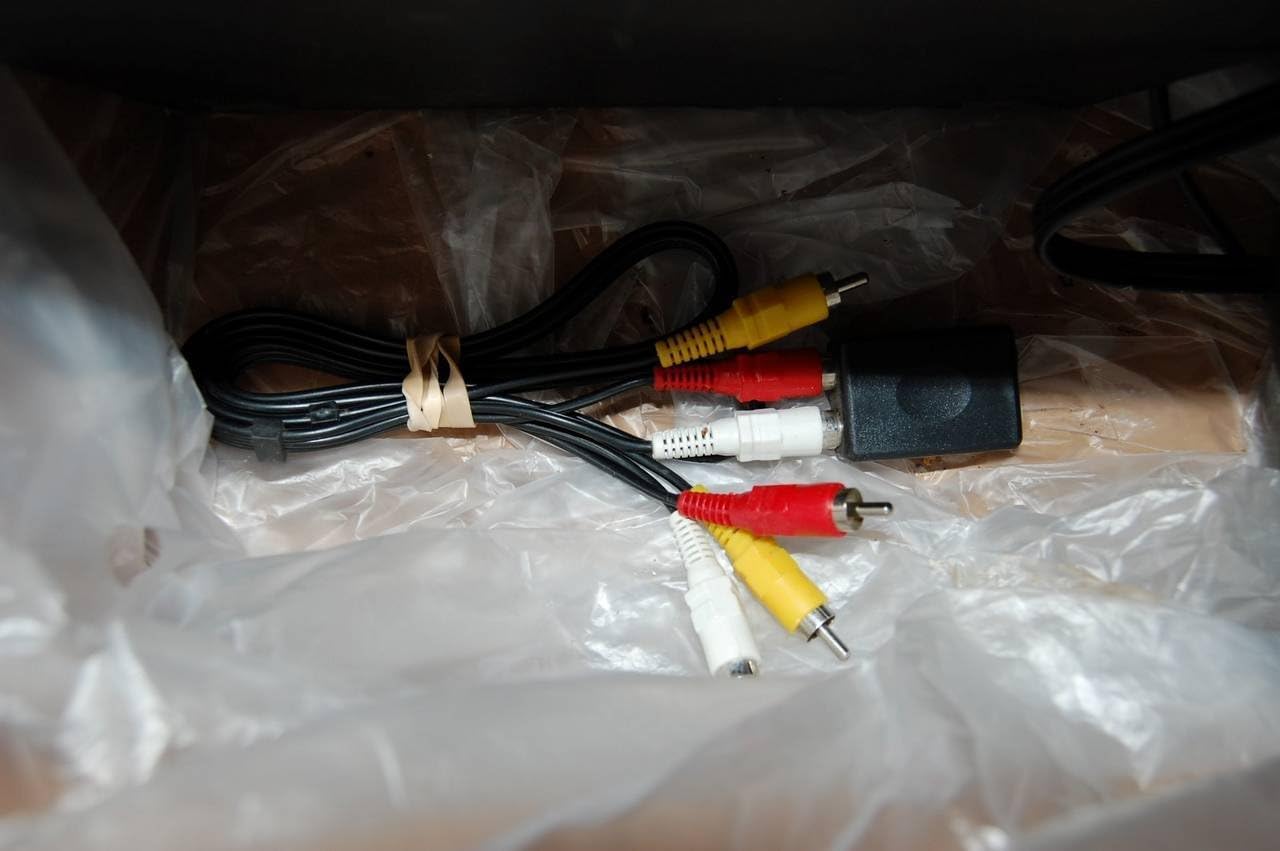
Image: Various RCA adapter cables, including a console adapter, used for connecting the Z-640 system to different audio sources.
Ensure all connections are firm before powering on the system.
Uputstvo za upotrebu
Once the system is set up, you can control its functions using the controls located on the center speaker and the subwoofer.
Center Speaker Controls:

Image: Close-up of the Logitech Z-640 center speaker, displaying the control panel with buttons for power, volume, matrix mode, fader, and a headphone jack.
- Dugme za napajanje: Uključuje ili isključuje sistem zvučnika.
- Kontrola jačine zvuka: Adjusts the overall volume of the system.
- Matrix Button: Engages or disengages the Matrix mode, which mixes two front channels to create a surround sound effect for stereo sources.
- Fader kontrola: Adjusts the balance between the front and rear speakers. Turning it up increases the volume of the rear speakers relative to the front.
- Priključak za slušalice: For private listening. Plugging in headphones will mute the speakers.
Kontrola subwoofera:
- Sub Volume Knob: Located on the back of the subwoofer, this knob adjusts the bass level independently.
Postavke audio izvora:
For optimal sound, adjust the equalizer settings on your computer's sound card or audio player software. Experiment with different presets (e.g., Rock, New Age) to find the sound profile that best suits your preferences and content.
Održavanje
To ensure the longevity and performance of your Logitech Z-640 speaker system, follow these simple maintenance guidelines:
- čišćenje: Use a soft, dry cloth to wipe down the speakers and subwoofer. Avoid using liquid cleaners or abrasive materials, as they can damage the finish or internal components.
- plasman: Keep speakers away from direct sunlight, excessive heat, and moisture. Ensure adequate ventilation around the subwoofer to prevent overheating.
- Upravljanje kablovima: Periodically check all cable connections to ensure they are secure and free from kinks or damage.
- Iskljuciti: When not in use for extended periods, it is advisable to power off the system using the power button on the center speaker.
Rješavanje problema
If you encounter issues with your Z-640 system, refer to the following common problems and solutions:
| Problem | Mogući uzrok / rješenje |
|---|---|
| Nema zvuka iz zvučnika. |
|
| Slab ili izobličen zvuk. |
|
| No bass or weak bass. |
|
| Rear speakers are too quiet or too loud. |
|
| Bright blue LED on center speaker is distracting. |
|
Specifikacije
- Broj modela: 970073-0403
- Ukupna RMS snaga: 71.2 Watts
- Satellite Speaker Power: 7.3 Watts RMS per satellite (x4)
- Center Channel Speaker Power: 16.3 vati RMS
- Snaga subwoofera: 25 vati RMS
- Frekvencijski odziv: Down to 35 Hz (subwoofer)
- Povezivanje: Stereo analog (RCA), Multi-channel analog (for 4- or 6-channel sound cards)
- Zaštita: All speakers are video shielded for distortion-free placement near monitors.
- Dimenzije proizvoda: 16.7 x 13.4 x 13.1 inches (overall package/subwoofer)
- Težina artikla: 1 pound (system weight)
- Jezik: engleski
Informacije o garanciji
The Logitech Z-640 6 Speaker Surround Sound System is covered by a dvogodišnja ograničena garancija from the date of purchase. This warranty covers defects in materials and workmanship under normal use. For warranty service or claims, please retain your proof of purchase and contact Logitech customer support.
Podrška
Za dodatnu pomoć, tehničku podršku ili pristup dodatnim resursima, posjetite službenu stranicu za podršku kompanije Logitech. website. You can often find FAQs, driver downloads, and contact information for customer service there.
Posjetite Logitech trgovina na Amazonu for product information (Note: This link is for product information, not direct support).